Key Takeaways
- No, Instagram doesn’t notify anyone when you screenshot a story, post, Reel, profile or normal DM.
- It does tell the other person when it detects a screenshot in vanish mode or in a chat with disappearing messages turned on.
- Disappearing photos and videos sent in DMs can’t be screenshotted at all. Instagram blocks it.
- Your view is what people see. Story owners get a list of everyone who watched, and Instagram Plus subscribers can now search that list and get alerts when certain people watch.
You screenshot a friend’s story to send to the group chat. A second later you panic: did they just get a notification?
They didn’t. Instagram doesn’t tell people when you screenshot their stories, and it never has. But the rules change inside DMs, and a few things shifted in 2026 that are worth knowing, especially if you’ve seen people on Reddit swear that “Instagram detects screenshots now.”
Here’s what notifies, what doesn’t, and what people can actually see about you.
The quick answer: what notifies and what doesn’t
| What you screenshot | Does the other person find out? |
|---|---|
| A story (including Close Friends) | No |
| A post, Reel, profile or Highlight | No |
| Comments and captions | No |
| A normal DM (text, shared post, photo from your gallery) | No |
| A disappearing photo or video in a DM | Can’t screenshot it: Instagram blocks it |
| A message in vanish mode | Yes, if Instagram detects it |
| A chat with disappearing messages turned on | Yes, if Instagram detects it |
The pattern is easy to remember. Anything meant to stay on Instagram is fair game for a screenshot. Anything meant to disappear is protected.
Does Instagram notify when you screenshot a story?
No. Instagram’s help pages on stories explain who can see your story, how long it stays up and how to see who viewed it. None of them mentions a screenshot alert, and no one has shown one in normal use.
What the owner does get is a list of viewers. Instagram’s help page on who’s seen your story says the person who posted can swipe up to see the number and usernames of everyone who watched each photo or video, for up to 48 hours. So the screenshot is invisible, but the fact that you watched isn’t.
Screen recording a story works the same way. No notification.
“But I saw a ‘screenshot detected’ message”
In September 2026, a post on r/Instagram with over 1,300 upvotes showed a system message after the user screenshotted stories. People panicked. When others tested it with friends, the story owner got nothing.
Here’s what’s going on. Phones let apps know when a screenshot happens, and many apps (Instagram, Reddit, TikTok) use that to suggest sharing the post instead. Detecting a screenshot isn’t the same as telling the other person. For stories, Instagram doesn’t.
Instagram Plus: what changed in 2026
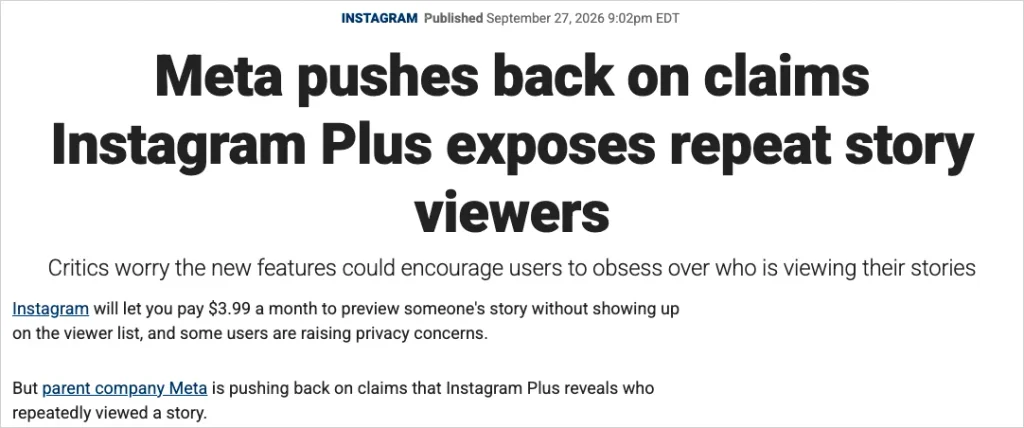
Instagram Plus is a paid subscription, $3.99 a month in the US, that Meta started testing in early 2026. It’s mostly about stories, and it’s behind a lot of the recent confusion.
What subscribers get:
- Story Preview: a quick look at someone’s story without showing up in their viewer list.
- Rewatch count: how many times a story was replayed in total.
- Viewer search and view times: search your viewer list for one person and see when they watched.
- Story view alerts: a notification when chosen people watch your story.
What it doesn’t do, according to Meta: show who screenshotted a story, or name the people who rewatched it. A Meta spokesperson told Fox Business the replay count is a total and “does not give subscribers more information about other people’s viewing habits.”
Two practical effects for you:
- Your own viewer list may not be complete anymore. Plus subscribers can preview your story without appearing on it.
- If someone has Plus and has turned on alerts for you, they’ll know the moment you watch. Not that you screenshotted, but that you looked.
Screenshots in DMs: where Instagram does tell
Normal chats
Text messages, shared posts, voice notes and photos sent from your camera roll behave like any other message. Screenshot them and the other person isn’t told.
Disappearing photos and videos
These are the photos and videos you send with the camera button in a chat, set to View once, View twice or Unlimited views. Since late 2024 you can’t screenshot or screen record them at all. Meta announced the block as part of its protections against sextortion scams, and also stopped these photos from opening on Instagram’s website so the block can’t be dodged there.

Some older Instagram help pages still say the sender “can see if we detect someone took a screenshot.” The newer status page simply says screenshots are disabled.
Vanish mode
Swipe up in a chat to turn on vanish mode, and messages disappear when you leave. Instagram’s vanish mode help page says the other person gets a notification “if we detect they take a screenshot.” Vanish mode may not be available in Europe or Japan.
Disappearing messages (the 2026 setting)
Some chats now have a disappearing messages setting with a timer, for example 7 days. In September 2026, users on Reddit noticed that screenshots in these chats show up as an alert inside the conversation. Tests in the thread found it only triggers when disappearing messages are switched on, and Instagram shows a notice in the chat when they are. If you see that notice, assume screenshots are reported.
We won’t list tricks for getting around these alerts. They exist to stop people saving private photos without consent, and the honest advice runs the other way: if a chat is set to disappear, the sender is asking you not to keep it.
How to know if someone screenshots your Instagram story
You can’t. Instagram gives no way to see who screenshotted or saved your story, and third-party apps that claim to are guessing at best and stealing logins at worst.
What you can control is who sees it in the first place:
- Close Friends: share sensitive stories only with your Close Friends list.
- Hide story from: in your privacy settings (“Hide story and live”), pick people who won’t see your stories at all.
- Turn off resharing: stop others from sharing your stories in their messages.
- Use disappearing photos in DMs for anything you really don’t want saved. They’re the only Instagram format that blocks screenshots.
And the rule that has always held: if you wouldn’t be fine with it being screenshotted, don’t post it.
Who else can see what you do on Instagram
Screenshots get the attention, but they’re not the only way your activity leaks. Three other places see more than most people realise:
Instagram itself. It knows which stories you watch, how long you look, what you screenshot (the app can tell, even if it doesn’t tell anyone) and what you search. That’s what feeds your Explore page.
“Who viewed my profile” apps. Instagram doesn’t share profile visitors with anyone, paid or free. Apps that promise “see who stalks your Instagram” can’t get that data. Many ask for your Instagram password, which is how accounts get stolen. Don’t log in to them.
The Wi-Fi you’re on. This one surprises people. When you scroll on café, school, hotel or airport Wi-Fi, the network can’t read your DMs, because Instagram encrypts them. But it can see that your phone is using Instagram, when, for how long and how much data you load. On a school or office network, that log belongs to the IT team. On a café network, it belongs to whoever runs the router.
If that bothers you, a VPN for public Wi-Fi hides it: the network sees one encrypted connection instead of a list of the apps you open. It won’t make you invisible to Instagram, and it won’t change who appears in a story’s viewer list. It just keeps the network out of your business.
FAQ
Does Instagram notify when you screenshot a story?
No. Story owners can see that you viewed their story, but not that you took a screenshot. Screen recording a story doesn’t notify them either.
Does Instagram notify when you screenshot a post or Reel?
No. Posts, Reels, profiles, Highlights and comments never trigger a screenshot alert.
Does Instagram notify when you screenshot DMs?
Not in normal chats. In vanish mode or in a chat with disappearing messages on, the other person is notified if Instagram detects the screenshot. Disappearing photos and videos can’t be screenshotted.
Can Instagram Plus see who screenshotted my story?
No. According to Meta, Plus shows a total rewatch count and lets you search your viewers, but it doesn’t show screenshots or name repeat viewers.
Can someone see that I viewed their story if I use Story Preview?
Story Preview is an Instagram Plus feature that lets subscribers peek without appearing in the viewer list. A normal view always shows up.
Can I see who visits my Instagram profile?
No. Instagram doesn’t share profile visitors with anyone, and apps that claim to show them can’t. Don’t give them your password.
I am Ethan Miles, a digital creator and caption enthusiast who loves turning simple moments into powerful words. I specialize in crafting creative, trendy, and engaging captions that help your posts stand out. At Captionestry, I focus on delivering fresh ideas, relatable expressions, and scroll-stopping content for every mood and moment. I’m passionate about social media culture, photography, and the art of storytelling through short, impactful lines.