
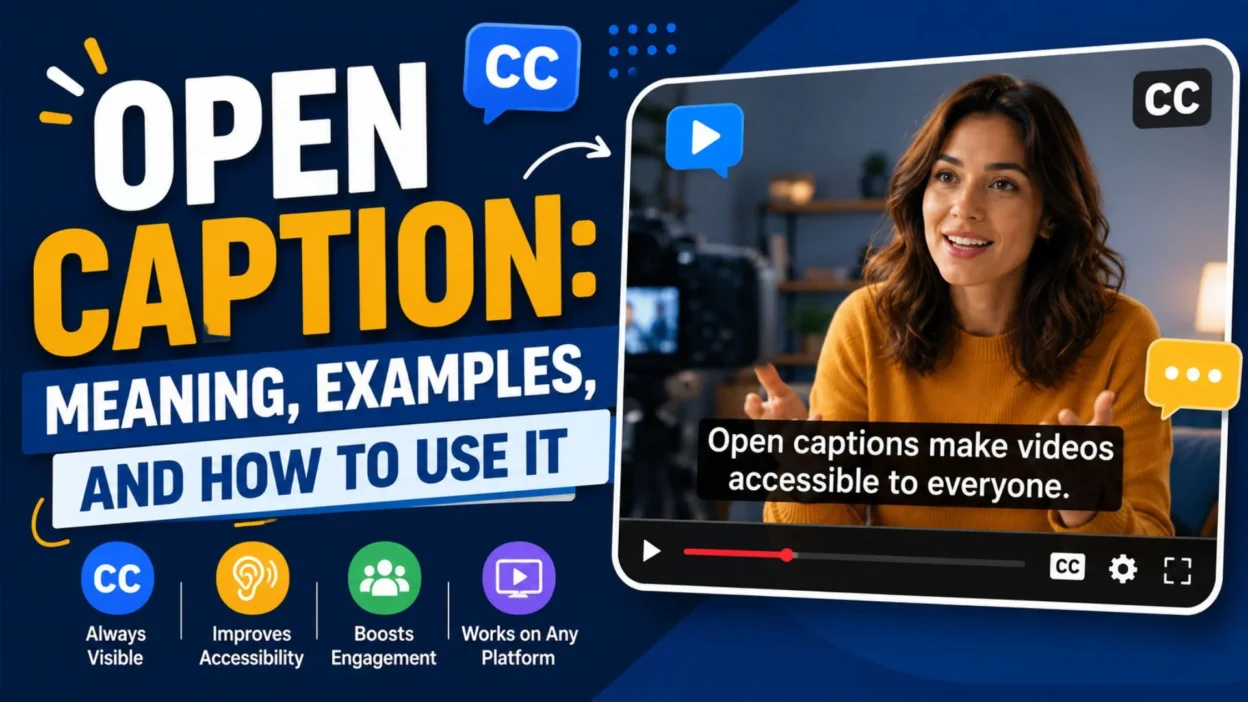
Open captions help people understand spoken dialogue, sound effects, and important audio details. They are especially useful when viewers watch videos without sound, use a platform that does not support caption controls, or need clearer access to spoken content.
In this guide, you will learn what open caption means, how it works, and how it compares with subtitles and closed captions. You will also discover practical examples, design tips, common mistakes, and simple ways to add captions to videos for social media, education, marketing, and entertainment.
What Does Open Caption Mean?
Open caption means text that is permanently displayed on a video. The text becomes part of the visual image and cannot normally be removed by the viewer.
Open captions may include spoken dialogue, speaker labels, sound effects, and other audio information. For example, a video might show:
• “Welcome to our channel.” 👋 • [Upbeat music playing] 🎵 • [Doorbell rings] 🔔 • “Please check the description below.” 📝
The main purpose is to make the video easier to understand without relying only on sound.
How Do Open Captions Work?
Open captions are added during video editing or exporting. Once they are burned into the video, they become part of the final visual content.
The basic process usually includes:
• Creating or importing a written transcript. 📄 • Matching each line with the correct moment in the video. ⏱️ • Choosing a readable font and text position. 🔤 • Checking spelling, timing, and punctuation. ✅ • Exporting the video with the captions permanently visible. 🎬
Because the captions are embedded in the video, they appear on most devices and platforms that can play the video file.
Open captions are permanently displayed on a video. Unlike closed captions, they usually cannot be turned off by the viewer. This format keeps spoken dialogue and important audio details visible throughout the video. As a result, viewers can follow the content even when the sound is muted.
Open captions are useful when consistent visibility matters. Closed captions are useful when viewers want control over the text.
Open Captions vs. Subtitles
Subtitles usually focus on spoken dialogue. They may translate speech into another language or help viewers follow conversations.
Captions can include more than dialogue. They may describe music, sound effects, tone, and other meaningful audio details.
For example:
• Subtitle: “I am glad you came.” 💬 • Caption: “I am glad you came,” she says warmly. 😊 • Caption with sound: [Soft piano music playing] 🎹
The exact meaning can vary by platform and industry. However, open caption mainly describes how the text is displayed, while subtitles and captions describe the type of text being shown.
Why Are Open Captions Useful?
Open captions make videos easier to follow in different viewing situations. They also help creators communicate their message more clearly.
Common benefits include:
• Helping viewers understand videos in noisy places. 🔊 • Making content easier to watch without sound. 🔇 • Supporting people who have difficulty hearing audio. 🤝 • Improving comprehension when speech is unclear. 🧠 • Making important dialogue visible on small screens. 📱 • Keeping captions available across different platforms. 🌐 • Showing sound effects that support the story. 🎭 • Making educational videos easier to review. 📚
Open captions do not replace good audio. Instead, they provide another way for viewers to understand the content.
When Should You Use Open Captions?
Open captions are a strong choice when you need the message to remain visible in every version of the video.
They may be useful for:
• Social media videos that autoplay without sound. 📲 • Promotional videos with important spoken information. 📢 • Public displays where viewers cannot control playback. 🖥️ • Short videos shared across several platforms. 🔄 • Videos intended for viewers with different access needs. ♿ • Tutorials where each spoken step matters. 🛠️ • Interviews with difficult names or unfamiliar terms. 🎤 • Videos watched in quiet public spaces. 🤫
Choose open captions when hiding the text would make the video harder to understand.
Open Captions for Social Media Videos
Many social media users watch short videos while their sound is muted. Open captions help the message remain clear even when audio is unavailable.
For social media, captions should be:
• Large enough to read on a mobile screen. 📱 • Short enough to follow quickly. ⚡ • Placed away from buttons and interface controls. 🎯 • Timed closely with the spoken words. ⏳ • Easy to read against the background. 👀 • Written in a natural, conversational style. 💬
Avoid placing important text at the very bottom of a video. Some platforms cover that area with usernames, captions, or action buttons.
Open Captions for Educational Videos
Educational videos often contain instructions, definitions, and important details. Open captions can reinforce the lesson and help learners follow the material.
Useful caption practices include:
• Displaying one clear idea at a time. 🧩 • Keeping technical terms accurate. 🧪 • Showing formulas or key words carefully. ✏️ • Using speaker labels when several people talk. 👥 • Matching captions with demonstrations. 🔬 • Pausing long enough for learners to read. ⏸️ • Avoiding unnecessary words and filler. 🎓
For complex subjects, captions should support the lesson rather than cover diagrams, charts, or demonstrations.
Open Captions for Marketing Videos
Marketing videos often need to communicate a message quickly. Open captions can help viewers understand the offer, product, or call to action without sound.
Effective marketing captions may highlight:
• The main customer problem. 🎯 • The product or service benefit. 💡 • A key feature or difference. ⭐ • A short customer instruction. 🛍️ • A limited-time message when it is accurate. ⏰ • A clear next step. 👉
Keep promotional captions honest. Do not use captions to make claims that the video itself cannot support.
Open Captions for Interviews
Interviews may include overlapping speech, unfamiliar names, accents, or background noise. Open captions can make the conversation easier to follow.
Consider using:
• Speaker labels for each person. 🗣️ • Accurate names and titles. 🏷️ • Clear punctuation for interruptions. ✍️ • Short lines that match natural speech. 💬 • Descriptions of meaningful laughter or pauses. 😄 • Captions for important background sounds. 🎙️
Do not change a speaker’s meaning just to make the sentence sound smoother. Captions should reflect the actual message.
Open Captions for Films and Storytelling
In films, captions can support dialogue, atmosphere, and storytelling. Sound descriptions may be important when music or background noise affects the scene.
Examples include:
• [Thunder crashes] ⛈️ • [Footsteps approach] 👣 • [Phone vibrating] 📳 • [Crowd cheering] 🏟️ • [Whispering] 🤫 • [Dramatic music rises] 🎼
Use descriptions only when they add meaning. Too many unnecessary sound labels can distract viewers from the story.
How to Write Effective Open Captions
Good captions are easy to read, accurate, and properly timed. They should sound natural rather than look like a raw transcript.
Follow these guidelines:
• Use simple and direct language. 📝 • Keep each caption short. ✂️ • Break long sentences into readable lines. 📖 • Use punctuation to show natural pauses. ⏸️ • Preserve the speaker’s intended meaning. 🎙️ • Check names, numbers, and technical terms. 🔍 • Avoid placing text over important visual details. 🖼️ • Match the caption timing to the speech. ⏱️
A caption should give viewers enough time to read without forcing them to pause the video.
Open Caption Design Tips
Design affects whether viewers can read the text comfortably. A beautiful video can still fail if its captions are too small or blend into the background.
Use these design practices:
• Choose a clean, readable font. 🔤 • Use strong contrast between text and background. ⚫ • Add a subtle shadow or background box when needed. 🌓 • Keep line lengths manageable. 📏 • Avoid decorative fonts that are difficult to read. 🚫 • Use consistent placement throughout the video. 📍 • Leave space around the text. ↔️ • Test the video on a small screen. 📱
Readable captions are more important than elaborate styling.
Where Should Open Captions Appear?
The best caption position depends on the video’s layout and important visual content.
Most captions appear near the bottom of the screen. However, you may need to move them when the bottom area contains essential information.
Avoid covering:
• A speaker’s face. 🙂 • Product details. 📦 • Important diagrams. 📊 • On-screen instructions. 🛠️ • Logos or names that viewers need to see. 🏷️ • Platform buttons and interface elements. 📲
Check the entire video before choosing one fixed position.
Common Open Caption Mistakes
Poor captions can reduce clarity and make a video difficult to watch. Most problems are easy to prevent with a careful review.
Common mistakes include:
• Using text that is too small. 🔍 • Showing captions for too little time. ⏳ • Covering important visuals. 🖼️ • Adding too many words to one screen. 📚 • Ignoring background sounds that affect meaning. 🔊 • Making spelling errors in names or terms. ✍️ • Using low-contrast colors. 🌫️ • Placing captions under platform controls. 📱 • Copying speech without readable line breaks. 🧾 • Forgetting to review the final exported video. 🎬
Always watch the finished version before publishing it.
How to Add Open Captions to a Video
The exact steps depend on the editing software you use. However, the general workflow is similar across most tools.
• Import the video into your editor. 🎞️ • Create captions manually or generate a transcript. 📝 • Review the transcript for accuracy. 🔍 • Adjust timing to match the audio. ⏱️ • Format the font, size, color, and position. 🎨 • Preview the captions on different screen sizes. 📱 • Export the video with captions included. 📤 • Watch the exported file before sharing it. ✅
Automatic caption tools can save time, but they may misunderstand names, accents, numbers, and background sounds. Always review the result.
How to Make Open Captions More Accessible
Accessibility involves more than adding words to a video. Captions should be readable, accurate, and meaningful.
To improve accessibility:
• Use clear language and sufficient contrast. ♿ • Include important sound information. 🔊 • Identify speakers when needed. 🗣️ • Avoid flashing or rapidly changing text. ⚠️ • Give viewers enough time to read. ⏱️ • Do not rely on color alone to communicate meaning. 🎨 • Keep captions visible long enough for comfortable reading. 👀
If possible, offer a version with closed captions as well. Different viewers may prefer different controls.
Open Captions and Accessibility Standards
Open captions can support accessibility because they remain visible without requiring viewers to activate a caption setting. However, simply adding captions does not guarantee that a video is fully accessible.
Accessibility also depends on:
• Accurate wording. ✔️ • Readable typography. 🔤 • Appropriate timing. ⏳ • Clear speaker identification. 🗣️ • Descriptions of meaningful sounds. 🎧 • Proper contrast and placement. 👁️
For important public, educational, or business content, review the accessibility needs of your audience before choosing a caption format.
Should Open Captions Include Sound Effects?
Include sound effects when they help explain what is happening. Not every background sound needs to appear as text.
Useful sound descriptions may include:
• [Applause] 👏 • [Alarm ringing] 🚨 • [Dog barking] 🐕 • [Music stops] 🎵 • [Audience laughs] 😂 • [Door slams] 🚪
Avoid adding descriptions for sounds that do not affect the meaning of the scene. The goal is clarity, not clutter.
Are Open Captions Good for SEO?
Open captions can support the viewing experience, but text embedded inside a video is not always readable by search engines as ordinary webpage text.
For stronger video SEO, also consider:
• Adding a descriptive video title. 🏷️ • Writing a useful video description. 📝 • Providing a transcript on the webpage. 📄 • Using relevant headings around the video. 🔎 • Adding meaningful thumbnail text when appropriate. 🖼️ • Including accurate keywords naturally. 🌱
Open captions improve usability. A visible transcript and clear page content can provide additional context for search engines and readers.
Open Captions: Best Practices Checklist
Before publishing a video with open captions, review the following points:
• The captions match the spoken content. 🎙️ • Spelling and punctuation are accurate. ✍️ • The text is easy to read on mobile devices. 📱 • Captions do not cover important visuals. 🖼️ • The timing feels natural. ⏱️ • Sound effects are included when meaningful. 🔊 • The font and style remain consistent. 🎨 • The final exported video has been reviewed. ✅
A short quality check can prevent many caption problems.
Frequently Asked Questions About Open Caption
What is an open caption?
An open caption is text permanently displayed on a video. It is embedded into the video image and usually cannot be turned off by the viewer.
Can viewers turn off open captions?
Usually, no. Because open captions are part of the video itself, viewers generally cannot hide them through the video player.
What is the difference between open and closed captions?
Open captions are always visible. Closed captions are usually stored as a separate track and can be turned on or off by the viewer.
Are open captions the same as subtitles?
Not exactly. Open describes how the text is displayed, while subtitles usually focus on dialogue or translation. Open captions may include dialogue and sound descriptions.
Are open captions useful for social media?
Yes. They help viewers understand videos when sound is muted and keep the message visible across different platforms.
Should open captions include sound effects?
Include sound effects when they add important context, such as an alarm, applause, laughter, or music that affects the scene.
Can automatic tools create open captions?
Many video editing tools can generate captions automatically. However, you should review the result because automated captions can contain errors.
Where should open captions be placed?
They are often placed near the bottom of the screen, but the position should change if it covers faces, diagrams, product details, or platform controls.
Do open captions improve video SEO?
They can improve the viewing experience, but embedded text may not be enough for SEO. A video transcript, descriptive title, and useful page content can provide additional search context.
Are open captions accessible?
They can support accessibility because they are always visible. Still, captions must be accurate, readable, well-timed, and clear to provide a useful experience.
Conclusion
Open caption is a practical way to keep video text visible for every viewer. Because the captions are embedded into the video, they work across many platforms and do not depend on a viewer turning on a caption setting.
They are especially useful for social media, public displays, tutorials, interviews, marketing videos, and content watched without sound. However, good results depend on more than adding text. Captions must be accurate, readable, well-timed, and positioned carefully.
Before publishing, review the wording, timing, contrast, and placement. If possible, provide a transcript or closed-caption option as well. The best caption format depends on your audience, platform, and accessibility goals.