Closed captions are useful when you cannot hear the audio clearly. They are also helpful when you watch a video without sound.
Unlike basic subtitles, closed captions can include more than spoken dialogue. They may describe sounds, music, laughter, applause, or other audio details.
This guide explains what closed captions mean, how they work, why people use them, and how they differ from subtitles. It also covers common questions about the CC option on modern video platforms.
What Is the Closed Caption Meaning?
Closed captions are written text that represents the audio information in a video.
They usually show spoken dialogue as the words are being said. They can also describe important sounds that a viewer may need to understand.
For example, a caption might show:
• Sarah: Are you coming with us? 💬
• [door closes] 🚪
• [audience laughs] 😂
This makes the video’s audio information easier to understand through text.
The word “closed” means the captions are usually optional. You can turn them on or off using the video player’s controls.
What Does CC Stand For?
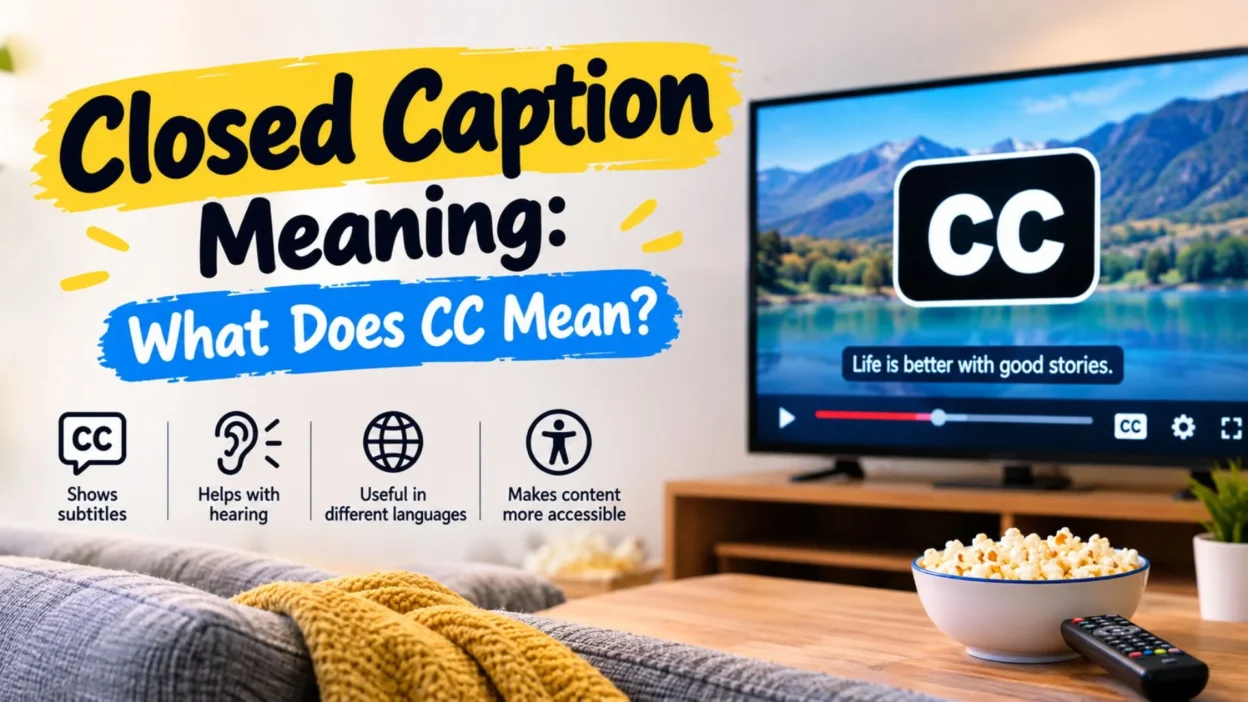
CC stands for “closed captions.”
You may see CC as a button on a video player. Selecting this button usually turns the available captions on or off.
Some platforms also place caption options inside a settings menu.
The exact design can vary between websites, apps, televisions, and streaming devices. However, the meaning of CC remains the same.
If you see CC while watching a video, it generally means that closed captions are available.
How Do Closed Captions Work?
Closed captions work as timed text that appears alongside a video.
Each caption is connected to a particular moment in the video. As people speak or important sounds occur, the matching text appears on the screen.
For example:
• John: Let’s go home. 🏠
• [car starts] 🚗
• [music playing] 🎵
The timing allows viewers to follow the text while watching the action.
Captions can be created by people or generated with speech-recognition technology. Automatically generated captions may need editing because speech-recognition systems can make mistakes.
What Do Closed Captions Include?
Closed captions can include several types of information.
The main purpose is to show spoken dialogue. However, useful captions can also communicate important non-speech sounds.
They may include:
• Spoken dialogue from people in the video 🗣️
• Names or speaker labels when needed 👤
• Important background sounds 🔔
• Music descriptions when relevant 🎶
• Laughter, applause, or crying 👏
• Sounds such as alarms, phones, or doors 📱
The amount of information depends on the caption track and the content.
Why Are Closed Captions Used?
People use closed captions for many different reasons.
Some viewers need them because they have difficulty hearing the audio. Others use them because the sound is unclear or because they simply prefer reading the dialogue.
Captions can also help when watching videos in places where playing sound is inconvenient.
For example:
• Watching a video in a quiet room 🔇
• Following a movie in a noisy place 🎧
• Understanding unclear dialogue 👂
• Watching content without headphones 📱
• Following educational videos more easily 📚
• Understanding important sounds in a scene 🎬
Because of this, captions can be useful in everyday viewing.
Closed Captions vs. Subtitles
Closed captions and subtitles can look almost identical on screen. However, they are not always designed for exactly the same purpose.
Subtitles commonly provide the spoken dialogue in another language or help viewers understand dialogue.
Closed captions can include dialogue plus important audio information.
For example, a subtitle might display:
• Where are you going? 💬
A caption might display:
• Where are you going? [car engine starts] 🚗
The exact terminology can vary by service. Still, the key difference is that captions can provide information about sounds as well as speech.
Closed Captions vs. Open Captions
The main difference between closed and open captions is viewer control.
Closed captions can normally be switched on or off. Open captions are permanently visible because they are part of the video itself.
Here is the basic difference:
• Closed captions: The viewer can usually control them. ⚙️
• Open captions: The text is permanently displayed in the video. 🎥
This makes closed captions more flexible for viewers who want control over their screen.
Are Closed Captions the Same as Transcripts?
No. A transcript and captions are related, but they are not the same thing.
A transcript is generally a written version of spoken content. It does not necessarily follow the timing of the video.
Closed captions are synchronized with the video.
They appear when the corresponding speech or sound occurs.
Captions may also contain information about important sounds. A transcript may not include those details in the same way.
What Is the Purpose of the CC Button?
The CC button gives viewers access to closed caption controls.
Depending on the video player, selecting CC may turn captions on or off.
Some platforms also provide language choices or caption display settings.
You might find options such as:
• Caption language 🌎
• Text size 🔤
• Caption appearance 🖥️
• Background settings ⚙️
• Accessibility preferences ♿
The available options depend on the service and device.
How to Turn Closed Captions On
The process is usually straightforward.
Start playing the video and look for the CC icon. Select it to turn captions on.
If the player does not show a CC button, open the settings menu and look for captions, subtitles, accessibility, or language options.
Some videos do not provide captions. In that case, the option may be unavailable.
The steps can also differ between a phone, computer, smart TV, and streaming device.
How to Turn Closed Captions Off
You can usually turn captions off by selecting the CC button again.
If the button is not visible, open the video settings and find the caption option.
Some services remember your viewing preference. If captions keep appearing, check the accessibility or playback settings for that service.
This lets you choose whether captions appear automatically when supported.
Are Closed Captions Helpful for People With Hearing Difficulties?
Yes. Closed captions can make video content easier to follow for people who are deaf or hard of hearing.
Captions provide a text representation of dialogue. They can also communicate important sounds that might otherwise be missed.
For example, a caption may identify:
• [phone rings] 📞
• [door slams] 🚪
• [crowd cheering] 🎉
These details can provide useful context while watching a scene.
Captions are therefore an important accessibility feature for many viewers.
Can Closed Captions Help With Learning?
Closed captions can also be useful for education.
Students can read along while listening to a lecture, tutorial, or lesson. This can make it easier to notice unfamiliar words and technical terms.
Captions may also help learners review a difficult section.
For language learning, reading captions can help connect spoken words with their written form.
However, captions should support learning rather than replace active listening. Different learners may benefit from different viewing methods.
What Are Automatic Closed Captions?
Automatic closed captions are created using speech-recognition technology.
The system analyzes the audio and attempts to convert speech into text.
This can provide captions quickly. However, automatic captions can contain errors.
Problems may occur because of:
• Background noise 🔊
• Fast speech 🗣️
• Unclear pronunciation 👂
• Multiple speakers 👥
• Unusual names or words ✍️
• Technical vocabulary 📖
For important videos, reviewing automatic captions can improve their accuracy and readability.
Why Are Some Closed Captions Incorrect?
Caption mistakes can happen for several reasons.
Automatic systems may misunderstand a word. Human captioning can also contain occasional spelling or timing errors.
Audio quality plays a role as well.
If a speaker talks quickly or background noise is strong, the caption may not accurately represent the audio.
Poor timing can also make captions harder to follow. A good caption track should appear at the right moment and remain visible long enough to read.
Closed Caption Meaning on YouTube
On YouTube, the CC option is used for available captions.
When a video has captions, viewers can usually select the CC button in the video player.
Some captions may be provided by the creator. Others may be automatically generated.
Language choices can also vary from one video to another.
If a video does not have a suitable caption track, the available options may be limited.
Closed Caption Meaning on Netflix
On Netflix, viewers can access available caption and subtitle options through the playback controls.
The available choices depend on the title, language, region, and device.
A viewer can select an appropriate caption or subtitle option while watching.
If you want sound descriptions as well as dialogue, check the available caption labels carefully. Different titles may provide different options.
Closed Caption Meaning on Television
On a television, CC usually means closed captions.
Many TVs include caption controls within their accessibility settings.
The exact location depends on the television brand and model.
For broadcast content, captions may be provided with the program. For streaming apps, the caption controls may be found inside the individual app.
If you cannot find the setting, check the TV’s accessibility or caption menu.
Can You Change the Appearance of Closed Captions?
Many devices and video services allow some caption customization.
The available controls vary, but common options can include text size, style, and background appearance.
These settings can make captions easier to read.
For example, a larger text size may help when watching from a distance.
A stronger contrast between the text and background can also improve readability.
The exact settings depend on the platform and device.
When Should You Use Closed Captions?
You can use closed captions whenever they make a video easier to understand.
There is no requirement to use them only for accessibility.
Many people prefer captions because they do not want to miss a word.
They can be especially useful when:
• The speaker is difficult to hear 👂
• The environment is noisy 🔊
• You cannot play the audio 🔇
• Several people are speaking 🗣️
• You are learning new vocabulary 📚
• Important sounds are part of the story 🎬
Captions are simply another way to access the information in a video.
Frequently Asked Questions About Closed Caption Meaning
What is the simple closed caption meaning?
Closed captions are on-screen text that represents spoken dialogue and, when relevant, important sounds in a video. They can usually be turned on or off.
What does CC mean on a movie?
CC means closed captions. The option lets viewers display text for dialogue and other relevant audio information while watching the movie.
Are closed captions subtitles?
Not exactly. Subtitles often focus on spoken dialogue, while closed captions can also include descriptions of sounds and speaker information.
What does closed caption mean on YouTube?
On YouTube, closed captions are text that can appear during a video when a caption track is available. The CC control lets viewers manage the captions.
Can closed captions be turned off?
Yes. When captions are available, you can usually turn them off through the CC button or the video’s settings menu.
Do closed captions show sound effects?
They can. Closed captions may describe important sounds such as a ringing phone, applause, laughter, an alarm, or a door closing.
What are open captions?
Open captions are permanently displayed as part of the video. Unlike closed captions, viewers normally cannot switch them off through the video player.
Are automatic captions always accurate?
No. Automatic captions can contain errors, especially when audio is unclear or speech is fast. Human review can improve their accuracy.
Can captions help people learn English?
Yes. Captions can help learners connect spoken English with written words. They may be useful for vocabulary, pronunciation practice, and understanding dialogue.
Why do people watch videos with captions?
People use captions for accessibility, clearer dialogue, learning, noisy environments, silent viewing, or personal preference. Captions can make video content easier to follow.
Conclusion
The closed caption meaning refers to text that represents spoken dialogue and relevant audio information in a video. The familiar CC button usually gives viewers control over this feature.
Closed captions can be helpful in many situations. They support viewers who have difficulty hearing, people watching without sound, students learning from videos, and anyone who wants to follow dialogue more closely.
It is also useful to understand the difference between captions, subtitles, transcripts, and open captions. Although these features can look similar, they do not always serve the same purpose.
If you see a CC button while watching a video, you can usually select it to display the available captions. You can then turn them off again when you no longer need them.
In short, closed captions make video audio easier to access through text, giving viewers another practical way to understand and enjoy content.

I am Ethan Miles, a digital creator and caption enthusiast who loves turning simple moments into powerful words. I specialize in crafting creative, trendy, and engaging captions that help your posts stand out. At Captionestry, I focus on delivering fresh ideas, relatable expressions, and scroll-stopping content for every mood and moment. I’m passionate about social media culture, photography, and the art of storytelling through short, impactful lines.